Butts Acting Guild Dance Company
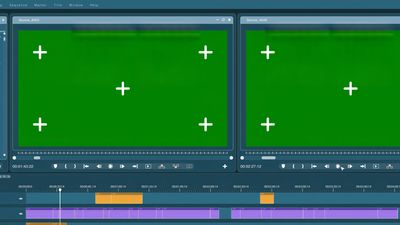
Projections/VFX Director
VFX / Projections Director’s Duties: Tech to Post-Production
With Examples & Best Practices
Butts Acting Guild
Pre-Production Duties
Meet with the Director, Stage Manager, and Set/Lighting Designers to understand artistic vision.
Review script to identify projection needs: scenery, animations, transitions, title cards, atmospheric effects, etc.
Coordinate with the technical team to determine projector placement, screen surfaces, and required equipment.
Build or collect media assets (images, videos, motion graphics) to match the production’s style and color palette.
Technical & Dress Rehearsals
1. Program & Test Projections
Program cues into the playback software (QLab, Resolume, ProPresenter, etc.).
Align, crop, and keystone projectors for proper sizing and placement.
Sync projection cues with lighting, sound, and staging.
Test brightness and contrast levels in full stage lighting conditions.
Examples & Best Practices
Create a cue sheet that aligns projections with script pages and SM cues.
Use consistent file formats (e.g., .mp4, .jpg) to avoid playback hiccups.
Run a full system test before each tech rehearsal.
1. Keep a backup version of the show file on a separate drive.
2. Manage Projection Equipment
Check projectors for focus, brightness, overheating, and lamp life.
Ensure cables, adapters, and playback devices are secure and stable.
Verify that media files render correctly in show resolution.
Examples & Best Practices
Cover projector lenses during breaks to protect from dust and accidental touches.
Label all cables and inputs clearly to simplify troubleshooting.
Keep spare adapters (HDMI, DisplayPort, USB-C, etc.) on hand.
Avoid last-minute rendering—export final media at least 24 hours before tech.
Performance Period
3. Run Projection Cues
Execute projection cues precisely on the Stage Manager’s “GO.”
Monitor projector temperature, alignment, and playback performance throughout the show.
Troubleshoot problems quickly (frozen frames, misfires, lagging video, unplugged cables).
Examples & Best Practices
Turn off unused layers or media to prevent light leaks on the screen.
Lock playback devices to prevent accidental shutdowns or software updates.
Perform a pre-show projection test (alignment + first cue) before opening house.
KePost-Production
4. Strike & Restore
Power down and cool projectors before removing.
Strike screens, playback devices, media servers, and cabling.
Return borrowed or rented equipment promptly.
Archive final media files and cue sheets for future reference.
Examples & Best Practices
Clean projector lenses and dust filters before storage.
Coil and label all cables neatly.
Store media files in organized folders (“Act I,” “Act II,” “Transitions,” etc.).
Document any issues encountered during the run for the next production team.
Summary: The VFX / Projections Director in Community Theatre
The Projections Director is:
The Designer – shapes the visual environment and storytelling through projected media.
The Operator – runs cues with precision for seamless transitions.
The Technician – ensures equipment reliability and fixes issues quickly.
Estimated Total Time Commitment
≈ 40–65 hours per production
